 |
November 2025 Featured Software |
| Submitted November 20, 2025 by Dan Delong |
Sore fingers? Arthritic joints? Feeling lazy?
I tried Handy on a reconditioned HP laptop, upgraded from Win10 to Win11. Handy's installer placed files in C:\Users\"myname"\AppData\Local\Handy This directory contained 17 files in 2 folders, consuming about 40 MB. But, running it caused this error...
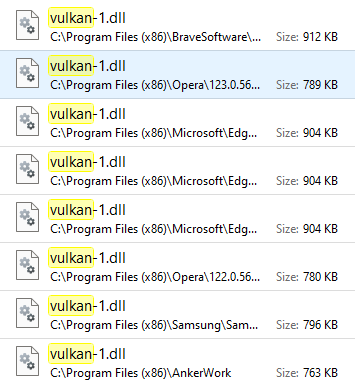
Re-installing did not fix the error, possibly because this laptop will no longer perform updates, after 22H2. However, many other programs on this computer had access to a version of the missing vulkan-1.dll. (see below)
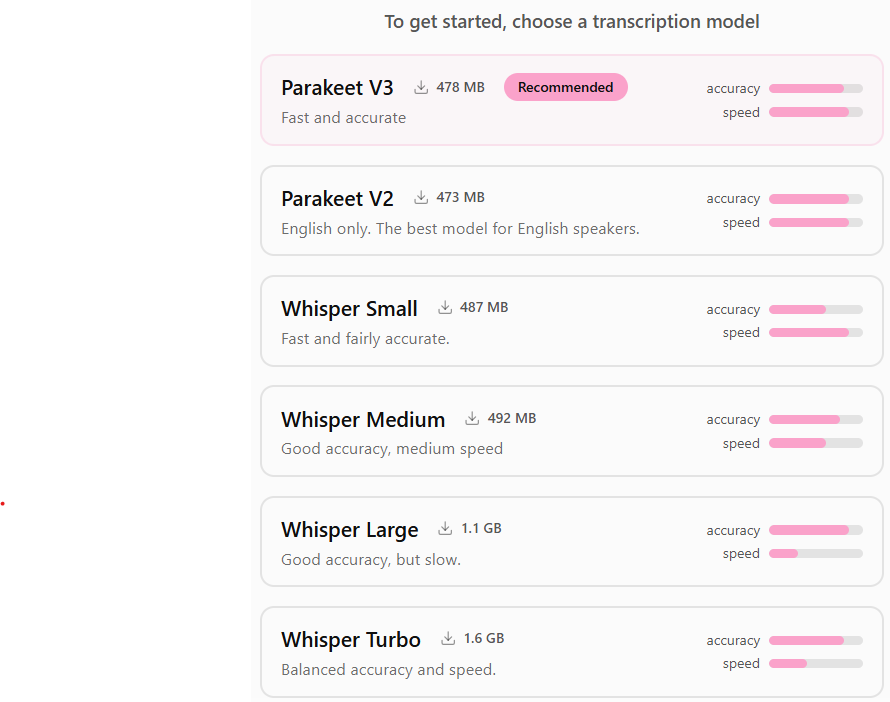
So, I copied and pasted one of the largest vulkan-1.dll files into the root of the handy installation. That worked! To begin Handy, the user must choose a transcription model, from the list. (see below)
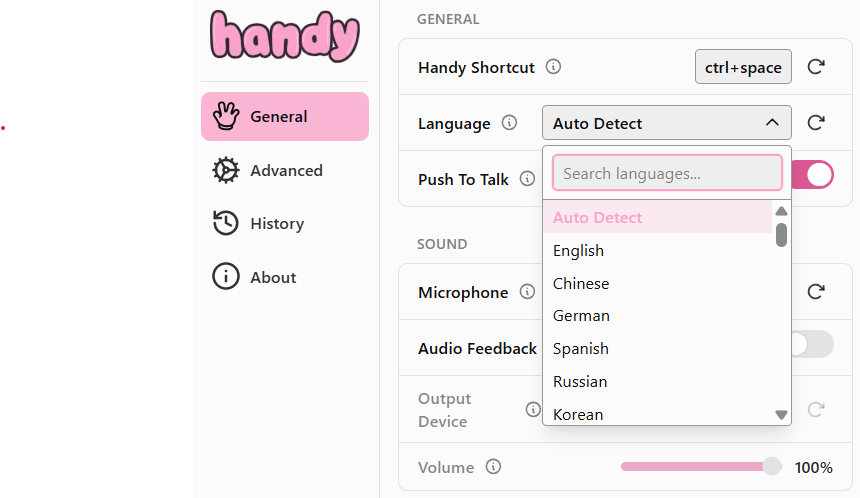
Then, choose a language, or let Handy auto-detect the language you speak. [Parakeet was recommended; perhaps it can keep up with a higher rate of speech.]
The text, from speech, will be stored here:- C:\Users\"yourname"\AppData\Roaming\com.pais.handy Here's a quote from the developers..."Your search for the right speech-to-text tool can end here - not because Handy is perfect, but because you can make it perfect for you." "Handy will listen and transcribe whatever you're saying to it and uh post it into any text open text box. The text will appear as long as the cursor has been placed in the text frame." [This is what I said to the computer (mistakes and all); it is extremely accurate.]
System requirements: Platform: MacOS (Intel and Apple) Linux (64-bit) and Windows (64-bit) Version: 0.6.0 Language: English, Spanish, Chinese, German, Russian, Korean Download Size: 10.4 MB setup from Github Installed Size: 40 MB Licence: FREE with a mild donation request Rating: Download Sites A free, open source, and extensible speech-to-text application that works completely offline. |



 You will see this small "ear" image, at the bottom of the screen when Handy is listening to the microphone. In my test, the microphone was original equipment,
  Your will see this "brain" image, in the same place, at the bottom of the screen, when Handy is transcribing into text.
